<

AI-Ready DHTMLX UI Components
for Smarter App Development

Transform ideas into working UIs through prompt-driven development.
DHTMLX provides a suite of AI-friendly JavaScript UI components that work with any LLM,
so you can build enterprise apps from prompts, directly in your favorite AI chat.

Connect DHTMLX to your preferred LLM, from cloud providers to self-hosted models.

LLM-Powered Development
with DHTMLX in Practice

STEP 1
Start with a prompt
Start chat with any LLM: describe your UI and let the model generate DHTMLX-based code. Specify the DHTMLX component and describe the core layout and desired styling.
STEP 2
Validate the AI-generated code
Once your LLM generates the base JavaScript and HTML code, use the DHTMLX Snippet Tool for a fast check. Paste AI-generated code and run instantly with no configuration or setup required.
STEP 3
Customize & share
Keep writing clear and structured prompts or use the official documentation to clean the AI-generated code. Adjust visuals, configure components’ behavior, and share your results with our tech support or your team.
View demo on desktop
The code for this basic DHTMLX Gantt chart example was generated with ChatGPT. The prompt was “Create a complete HTML + JavaScript example using DHTMLX Gantt that shows a project called “Website Relaunch” with three parent phases (Design, Build, QA), each containing 2–4 subtasks with realistic dates, durations, and basic dependencies within and across phases.”
Prompt
EXAMPLES & TEMPLATES
Generate a financial dashboard layout using DHTMLX UI components: Grid, Charts, and Form. Provide sample mock data and layout rules.
Click to copy
Prompt
GETTING STARTED
Create a DHTMLX Grid that displays products with fields: id, name, category, price. Enable sorting and pagination.
Click to copy
Prompt
EXPORT/IMPORT
Add export functionality (CSV/Excel) to a DHTMLX Grid listing employees.
Click to copy
Prompt
EXAMPLES & TEMPLATES
Create a DHTMLX Scheduler that shows week and month views with sample events.
Click to copy
Prompt
CONFIGURATION & CUSTOMIZATION
Implement recurring events in a DHTMLX Scheduler with custom UI for setting repeat rules.
Click to copy
Prompt
CONFIGURATION & CUSTOMIZATION
Set the right-to-left mode for DHTMLX Gantt.
Click to copy
Prompt
CONFIGURATION & CUSTOMIZATION
Make the DHTMLX Gantt chart use a dark theme and custom colors for tasks.
Click to copy
Prompt
GETTING STARTED
Set up a DHTMLX Kanban board with multiple swimlanes and drag-and-drop.
Click to copy
Prompt
GETTING STARTED
Create a DHTMLX Spreadsheet table with sample sales data.
Click to copy
Prompt
CONFIGURATION & CUSTOMIZATION
Change the date format of the DHTMLX Kanban editor shape.
Click to copy
Prompt
EXAMPLES & TEMPLATES
Generate a financial dashboard layout using DHTMLX UI components: Grid, Charts, and Form. Provide sample mock data and layout rules.
Click to copy
Prompt
GETTING STARTED
Create a DHTMLX Grid that displays products with fields: id, name, category, price. Enable sorting and pagination.
Click to copy
Prompt
EXPORT/IMPORT
Add export functionality (CSV/Excel) to a DHTMLX Grid listing employees.
Click to copy
Prompt
EXAMPLES & TEMPLATES
Create a DHTMLX Scheduler that shows week and month views with sample events.
Click to copy
Prompt
CONFIGURATION & CUSTOMIZATION
Implement recurring events in a DHTMLX Scheduler with custom UI for setting repeat rules.
Click to copy
Prompt
CONFIGURATION & CUSTOMIZATION
Set the right-to-left mode for DHTMLX Gantt.
Click to copy
Prompt
CONFIGURATION & CUSTOMIZATION
Make the DHTMLX Gantt chart use a dark theme and custom colors for tasks.
Click to copy
Prompt
GETTING STARTED
Set up a DHTMLX Kanban board with multiple swimlanes and drag-and-drop.
Click to copy
Prompt
GETTING STARTED
Create a DHTMLX Spreadsheet table with sample sales data.
Click to copy
Prompt
CONFIGURATION & CUSTOMIZATION
Change the date format of the DHTMLX Kanban editor shape.
Click to copy

Precise Prompt-Driven Development
with DHTMLX MCP Server

The DHTMLX MCP server is built to natively understand DHTMLX components and work seamlessly with any
AI coding assistant and developer tools that support MCP. Fully compatible with DHTMLX UI components,
it produces production-ready code that helps your AI assistant detect errors and propose fixes while effectively managing even complex component interactions.

DHTMLX AI-Friendly UI Components
for LLM-Powered Development

With DHTMLX, you can bridge the gap between raw AI output and polished, production-ready applications. Our JavaScript AI-ready components with support for React, Vue, Angular, and Svelte empower developers to accelerate coding with AI assistance while maintaining enterprise-level quality.

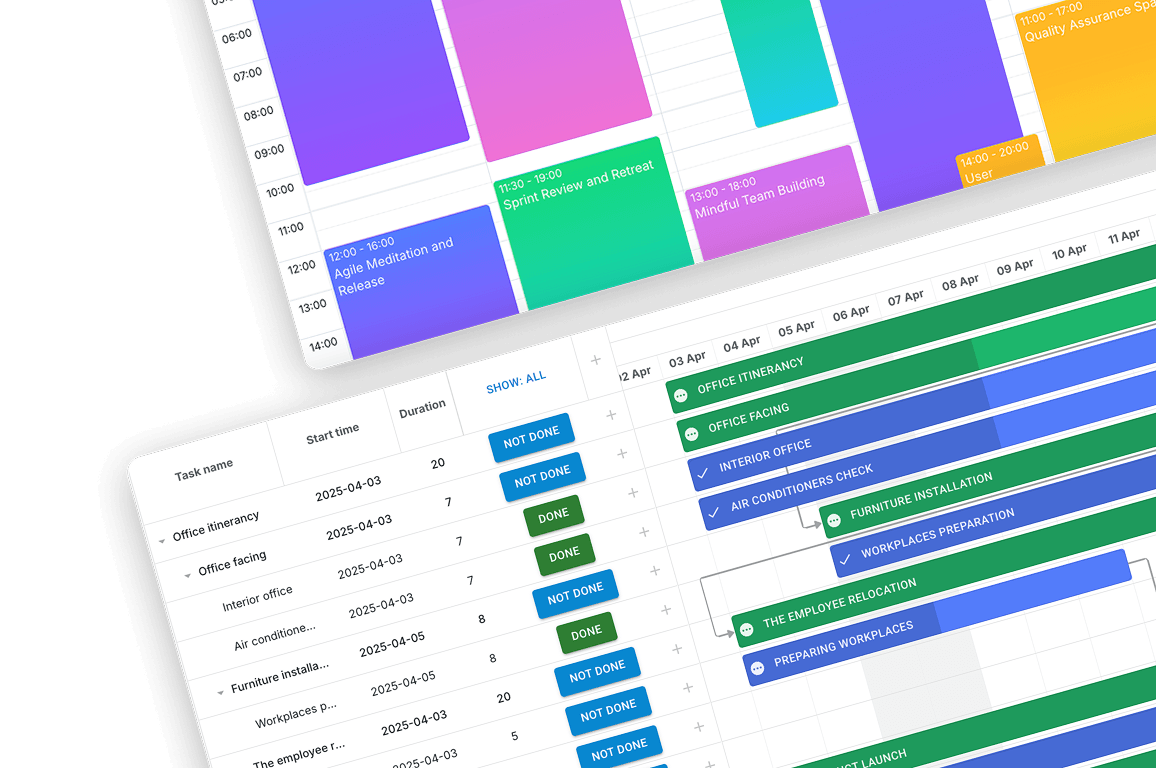
React Components for AI-
Assisted Development

Accelerate coding with AI assistance and use powerful DHTMLX UI components to build smarter React applications.

DHTMLX React Gantt and React Scheduler are fully compatible with AI‑assisted development environments. Since trial versions are available via npm, your AI tool can install and configure these components automatically - all it takes is a single prompt. This makes experimenting with DHTMLX in AI-driven workflows smoother and faster than ever.
React Components for AI-Assisted Development

Why Choose AI-Assisted Development
with DHTMLX Components

Production-Ready UI Components
When building JavaScript UI for AI-powered apps, you need robust, feature-rich components that don't require constant customization. DHTMLX provides enterprise-grade Gantt chart, Grid, Scheduler, Diagram, and other UI components that AI assistants can configure via prompts, eliminating hours of manual coding and helping build apps faster.
Natural Language to Code Transformation
With LLM-powered development, you can describe UI requirements in natural language, and your AI pair programmer generates functional code instantly. Since models are trained on multilingual datasets, you can write prompts in different languages with no performance degradation. This makes the development experience seamless for global teams.
Lower Learning Curve for Teams
A robust library of technical guides and tutorials makes DHTMLX a strong partner for AI-powered development. These resources help both developers and AI tools generate accurate UI. AI coding assistants can explain DHTMLX features, recommend best practices, and generate code samples to test with the DHTMLX Snippet Tool, improving maintainability and onboarding.
Framework-Agnostic AI-Friendly UI Components
DHTMLX UI components are designed to work smoothly with modern frameworks, including React, Vue, Angular, and Svelte. This makes it easier for AI coding assistants to generate integration code, framework-specific wrappers, and examples, helping developers follow ecosystem best practices and keep codebases maintainable.
Flexible Access to DHTMLX Knowledge
The DHTMLX MCP server supports multiple ways of working with documentation. In addition to standard inference, it enables direct documentation search and MCP Sampling for compatible clients. This flexibility allows developers to query docs, generate answers with their own LLMs, or build custom local solutions tailored to their needs.

Get Inspired by AI-Powered DHTMLX Demos

AI-Powered UI Components Examples
See how natural language to code works. Explore real-world AI demos built with DHTMLX UI components and powered by OpenAI.

Customer Case Studies: Enterprise App Development
with AI-Assisted UI Components by DHTMLX

See how DHTMLX customers combine AI features in their apps with DHTMLX components.
AI-enhanced logistics scheduling with DHTMLX Gantt
A logistics startup uses AI-powered data extraction, automation, and communication tools integrated with DHTMLX Gantt to streamline truck scheduling and real-time route updates.
AI-assisted healthcare management with Scheduler
Clinicea enhances its global clinic management platform by integrating AI-driven decision support and automation with DHTMLX Scheduler, delivering smarter appointment booking, optimized resource allocation, and next-generation patient care.
Smarter project management with DHTMLX components
Enovatio Portal enhances workflow and financial project management with DHTMLX Gantt and Diagram, enabling faster development, intuitive planning, and seamless integration with Angular.

AI-Assisted Development with DHTMLX Components:
Frequently Asked Questions

General
For Teams/Business
For Developers
General
What is AI-assisted development with DHTMLX?
DHTMLX supports AI-assisted development by enabling a natural language to code workflow, where developers describe UI requirements in plain English and receive fully functional implementations. Leveraging AI-ready UI components, modern LLMs generate production-quality code for complex elements like grids, charts, and schedulers, automating repetitive UI tasks while leaving developers free to handle core application logic.
What makes DHTMLX an AI-friendly UI component library?
DHTMLX components are designed for AI-native development. Each component has clear, semantic APIs that AI models can interpret accurately, machine-readable documentation that LLMs have been trained on, standardized initialization patterns, and framework-agnostic architecture, making them ideal UI components for AI-assisted coding.
Can I use DHTMLX with any AI coding tool?

Yes. You can use DHTMLX with virtually any AI coding tool:

  • With any LLM that can generate JavaScript/TypeScript and HTML. If the model can produce front-end code, it can generate implementations using DHTMLX components.
  • By connecting AI coding assistants that support MCP to the DHTMLX MCP server, developers can generate DHTMLX-based UI code using predefined prompt templates from the server, including templates for debugging. This approach improves accuracy and reduces the need for manual code fixes.

This flexibility ensures you can integrate DHTMLX into your preferred AI-powered development.

For Teams/Business
Are DHTMLX components suitable for enterprise applications?
DHTMLX provides enterprise UI for AI-driven apps with production-grade components used by Fortune 500 companies. The components offer robust data handling, accessibility compliance, and scalability. Whether building project management tools, scheduling systems, or complex data visualizations, DHTMLX delivers enterprise-quality results through AI-assisted development.
How does AI-assisted app development with DHTMLX reduce costs?
AI-assisted development with DHTMLX components reduces costs through faster development cycles, lower training requirements, and fewer bugs. Teams can accelerate coding with AI assistance, cutting development time by 40-60%, while new developers become productive using AI-enhanced development workflows.
How does an AI-first development approach improve team productivity?
Boost developer productivity with AI-ready components by eliminating repetitive coding tasks, reducing documentation lookups, and accelerating prototyping. Junior developers can leverage AI coding assistant tools to produce higher-quality code, while senior developers focus on architecture and system design rather than routine UI implementation.
For Developers
Do AI-powered UI components reduce the need for manual coding?
They reduce but do not replace manual coding. AI accelerates boilerplate generation, layout creation, and configuration setup. Developers remain in control of logic, performance, and architecture.
How does prompt-driven development work with DHTMLX?
Prompt-driven development with DHTMLX uses natural language descriptions to generate code. Instead of manually writing initialization, configuration, and event handling, you describe the desired outcome and let AI-enhanced development tools generate implementations using DHTMLX components with AI capabilities. This natural-language-to-code workflow maintains code quality while dramatically reducing development time.
Can I enhance my DHTMLX application with custom AI features?
DHTMLX components provide the perfect foundation for JavaScript UI for AI-powered apps, where developers can integrate predictive suggestions, intelligent form validation, real-time data insights, and custom AI workflows directly into the widgets. The JavaScript architecture handles robust data presentation and interaction while your custom AI models provide smart behavior, enabling you to create AI-powered smart components for enterprise UI for AI-driven apps.
Can I combine multiple DHTMLX components using AI assistance?
You can build apps faster with AI-powered UI by describing complex layouts: “Using DHTMLX, create a Kanban widget with a Chatbot modal overlay so users can manage the Kanban board via the Agent at Chatbot.” Your AI coding tool will generate multi-component implementations, handle data synchronization, and establish proper event communication between AI-powered smart components, creating sophisticated UIs through AI-native development workflows.

Let AI Build your UI

DHTMLX JavaScript UI components work
perfectly with LLM-powered development tools to ship features faster.