


<
DHTMLX Gantt 9.1 with Tailored Time Scale, Flexible Split Tasks, Multi-User Live Updates, and Much More

The Most Powerful React Gantt Chart

Build a high-performant React JS Gantt chart for managing projects with thousands of tasks using DHTMLX Gantt.

npm install @dhtmlx/trial-react-gantt
Click to copy
npm i @dhtmlx/trial-react-gantt
Click to copy
NCI
Deutsche Bank
Siemens
Apple
Airbus
Embraer
Hilton
Tele2
Aprika
FedEx
GanttPro
Oracle
Amazon
Accenture
IBM
Cisco
Intel
Nasa
ABB
Capgemini
BBC News
NCI
Deutsche Bank
Siemens
Apple
Airbus
Embraer
Hilton
Tele2
Aprika
FedEx
GanttPro
Oracle
Amazon
Accenture
IBM
Cisco
Intel
Nasa
ABB
Capgemini
BBC News
DHTMLX offers reliable and feature-rich React timeline chart components that help teams build powerful project management tools.
Capterra Shortlist 2024
GetApp Category Leaders 2024
Software Advice Front Runners 2024
Best Meets Requirements
High Performer EMEA
Users Most Likely To Recommend
Easiest to Use

React JS Gantt Chart Key Features

Work time calendars & auto scheduling

Resource management

Integration with Redux

Inline editors

Task and resource filtering

Dynamic and configurable React JS Gantt

Seamless theming and MUI compatibility

Export to PDF, PNG, Excel, and MSP

Work time calendars & auto scheduling
DHTMLX React Gantt provides a powerful auto-scheduling engine that calculates start and end dates, handles constraints, and recalculates dependent tasks when something changes. If you need server-side scheduling, the Node.js module can run these calculations on the backend.
Resource management
The React Gantt component simplifies complex resource management by enabling users to allocate multiple resources to tasks and projects. Load charts and histograms help monitor workloads and optimize team performance in real time.
Integration with Redux
Integrating Redux with DHTMLX Gantt React lets you keep all Gantt-related settings in a centralized store, independent of the chart. This approach makes it easy for other parts of the application to access or update those settings as needed.
Inline editors
The interactive Gantt chart React component provides convenient inline editors that allow users to modify task details, including name, start time, and duration, directly within the grid without opening additional dialogs.
Task and resource filtering
Our React project management chart allows filtering tasks and resources using the built-in props, helping you display only the data relevant to your project.
Dynamic and configurable React JS Gantt
You can configure your React Gantt through dedicated props, from column definitions to chart templates and plugin activations. Passing new props will dynamically update the React project management chart and reduce the need for manual re-initialization.
Seamless theming and MUI compatibility
You can apply a theme dynamically using the skin prop and refine it with custom styles or by overriding CSS variables. As a Material UI compatible Gantt chart, React developers can easily align it with their existing MUI-based design system for a consistent look across the entire app.
Export to PDF, PNG, Excel, and MSP
DHTMLX React Gantt makes it easy to export Gantt charts to PDF/Excel for React apps' reporting and analysis. You can generate PDF or PNG files for convenient sharing and export to Microsoft Project to stay compatible with industry-standard project management tools.

How to Create and Use React Gantt Chart

Click to copy
Click to copy
Click to copy
Click to copy
Set up a powerful React Gantt chart

You can build a React Gantt chart with thousands of tasks, capable of rendering 30,000+ tasks in just milliseconds, being ultra-fast even in large-scale projects. The dedicated DHTMLX React Gantt chart NPM package simplifies installation and integration.

DHTMLX Gantt works seamlessly with React (version 18 and higher), leveraging React's native props and state. The React wrapper manages a standard DHTMLX Gantt instance under the hood, automatically translating React props, such as tasks and configuration, into the corresponding Gantt initialization and data structures.

Click to copy
Use React Gantt with Redux

You can keep your entire application state in a single store for both UI updates and server communication, working seamlessly with React logic or Redux-based state. Our documentation covers the essentials of the Redux Gantt integration React approach.

  • Predictable data flows. Manage all task data updates via Redux actions for easier debugging.
  • Automatic re-rendering. Whenever your tasks or other data need updating, you dispatch an action that updates Redux, and the Gantt automatically re-renders to reflect the changes. This approach also makes it simpler to manage advanced features like user interactions or external data sources.
  • Scalability. Integrating Redux with a React Gantt chart simplifies data management, especially when multiple UI components need the same data updates.
Click to copy
Benefit from a full support for JSX & TSX

DHTMLX Gantt React provides full type definitions, making it an ideal TypeScript Gantt chart React solution. With JSX and TSX support, you can fully leverage React's syntax and TypeScript's type-checking to build, maintain, and scale complex Gantt charts. It can also add type safety, ensuring your data structures and Gantt props line up correctly.

Ready-to-Use DHTMLX React Gantt Starters on GitHub

Clone React Gantt chart starter projects for Redux, Zustand, MobX, Next.js, and more to quickly try DHTMLX with your stack.
Use them as ready examples for real‑time scheduling, task management, and collaborative projects.

Get Started with React Gantt

1
Download trial version.

Fill in a form and get access to the DHTMLX Gantt evaluation version free for 30 days.

2
Utilize supporting materials.

Refer to the documentation and blog post guides for detailed, step-by-step instructions on how to integrate DHTMLX Gantt into your React application.

3
Select a suitable license.

After evaluating the product, it's time to choose the appropriate Gantt license that aligns with your requirements, like the number of developers, projects, and SaaS.

Why Choose to Build React JS Gantt Chart with DHTMLX?

Declarative data handling in DHTMLX React Gantt
React Gantt is designed to work with arrays of tasks, links, resources, calendars, and other data - all passed as props. Whenever these arrays change in your React state, the Gantt re-renders to reflect the new data. This simple, declarative pattern aligns perfectly with standard React data flows. It’s a natural approach for any React developer used to passing props to components.
Ideal for cloud-based applications
DHTMLX React Gantt is an ideal scalable Gantt chart for SaaS React apps, leveraging React’s virtual DOM, modular structure, and lightweight dynamic UI. With DHTMLX Gantt, implementation costs are minimized, since there are no extra fees for the number of end users in your SaaS applications. You can scale your solution as it grows without additional licensing expenses.
Full access to DHTMLX Gantt API
While most functionality is configurable through props, sometimes you need to access advanced methods for dynamic manipulation - like getTask(), updateTask(), or adding custom layers. For these cases, you can store a ref to the Gantt component and call its API when necessary. This pattern strikes a balance between declarative React usage and the ability to perform quick imperative updates. It is ideal for tasks such as adding new items programmatically or building complex custom interactions.
Rich feature set for professional project management
DHTMLX Gantt comes with an extensive set of out-of-the-box features, such as task dependencies and time constraints, critical path visualization, resource allocation, and baselines, which are essential for professional project management. Сombined with React's ecosystem, these features enable developers to build advanced and visually appealing project management tools that cater to complex business needs.
Easy customization with React components
If you want true React customization, you can create React components for features like task templates, custom lightbox forms, or inline editors. With a single property change, you can swap out a default behavior for a fully custom, branded solution. Everything stays within your React workflow, without needing to manually manipulate the DOM. This setup is perfect for advanced UI features or unique user experiences. You can also use custom React components for inline editors in the Gantt grid.

React Gantt Examples by DHTMLX Users

React Gantt chart component for portfolio management
DHTMLX Gantt helps to visualize a roadmap, resource views, and portfolio prioritization in a React-based portfolio management solution for the DACH region.
Production scheduling solution with DHTMLX Gantt
Built upon a React stack, the application helps contract manufacturers solve their scheduling issues with the help of the Gantt chart.
Gantt customization
in a construction PM app
Here is an example of customizing DHTMLX to create a complete project management solution with Gantt and React JS.

What Customers Say

We evaluated several alternatives during our selection process, many of which were smaller, React-based libraries. While those had some appeal in terms of lightweight implementation, they lacked the breadth and depth of functionality that DHTMLX Gantt provides. We chose DHTMLX Gantt for its rich feature set, flexibility, and strong documentation.
Product Manager of the ClearPoint Strategy platform project
Angel Oh
Product Manager of the ClearPoint Strategy platform project
We started by looking for any React components, but none were suitable. So it wasn’t an option. A developer that I know previously used the DHTMLX Gantt and strongly recommended it. Once we confirmed that this tool would work for our needs, we made the decision. Once we had a sense that it was a working solution and that we would be able to continue using it, we were very happy to choose DHTMLX Gantt.
Co-Founder and CTO of Ondema, Inc.
Elijah Lovejoy
Co-Founder and CTO of Ondema, Inc.
Compared to other Gantt libraries on the market, your Gantt turned out to be the most ready-to-use and customizable product. We did prove it! It really works and you guys do a good job in supporting it.
Associate Partner of adensio
Daniel Trefzer
Associate Partner of adensio

Simplify Development and Power Up Your Web Apps with AI

Explore AI-powered demos that generate project timelines from
natural language and automate routine setup tasks, enabling faster,
easier adjustments to the Gantt UI.

DHTMLX Gantt Licensing

Commercial
Total: $1399
Enterprise
Total: $2999
Ultimate
Total: $5999
License Terms Read License Agreement Read License Agreement Read License Agreement
Developers 5 20
Projects 1 5
Use in SaaS (unlimited end-users) Upon request for a fee
Use in Salesforce
Source code
Perpetual distribution rights
Support Plan
Premium Premium Ultimate
Time Period 1 year 1 year 1 year
Updates Major, minor, and maintenance updates Major, minor, and maintenance updates
Major, minor, and maintenance updates
Priority queue for bug fixing
Support requests 30 50
Response time 48h 48h 24h
Personal Account Manager
Functionality
PRO + 2 add-ons PRO + 3 add-ons PRO + 5 add-ons
20+ PRO features
React Gantt chart
Several Gantt charts on 1 page This feature enables creating and destroying instances of Gantt, what is especially common for Angular, React, and other frameworks.
Online export to PDF/PNG without watermark Free for 1 year Free for 1 year Free for 3 years
Free local PDF/PNG export module
Free local module for MS Project export/import
Free Node.js Gantt server module
Commercial
$1399
License Terms Read License Agreement
Developers 5
Projects 1
Use in SaaS (unlimited end-users) Upon request for a fee
Use in Salesforce
Source code
Perpetual distribution rights
Support Plan
Premium
Time Period 1 year
Updates Major, minor, and maintenance updates
Support requests 30
Response time 48h
Personal Account Manager
Functionality
PRO + 2 add-ons
20+ PRO features
React Gantt chart
Several Gantt charts on 1 page This feature enables creating and destroying instances of Gantt, what is especially common for Angular, React, and other frameworks.
Online export to PDF/PNG without watermark Free for 1 year
Free local PDF/PNG export module
Free local module for MS Project export/import
Free Node.js Gantt server module
Enterprise
$2999
License Terms Read License Agreement
Developers 20
Projects 5
Use in SaaS (unlimited end-users)
Use in Salesforce
Source code
Perpetual distribution rights
Support Plan
Premium
Time Period 1 year
Updates Major, minor, and maintenance updates
Support requests 50
Response time 48h
Personal Account Manager
Functionality
PRO + 3 add-ons
20+ PRO features
React Gantt chart
Several Gantt charts on 1 page This feature enables creating and destroying instances of Gantt, what is especially common for Angular, React, and other frameworks.
Online export to PDF/PNG without watermark Free for 1 year
Free local PDF/PNG export module
Free local module for MS Project export/import
Free Node.js Gantt server module
Ultimate
$5999
License Terms Read License Agreement
Developers
Projects
Use in SaaS (unlimited end-users)
Use in Salesforce
Source code
Perpetual distribution rights
Support Plan
Ultimate
Time Period 1 year
Updates
Major, minor, and maintenance updates
Priority queue for bug fixing
Support requests
Response time 24h
Personal Account Manager
Functionality
PRO + 5 add-on
20+ PRO features
React Gantt chart
Several Gantt charts on 1 page This feature enables creating and destroying instances of Gantt, what is especially common for Angular, React, and other frameworks.
Online export to PDF/PNG without watermark Free for 3 years
Free local PDF/PNG export module
Free local module for MS Project export/import
Free Node.js Gantt server module
About
Explore DHTMLX Gantt
DHTMLX Gantt is a powerful JavaScript component that seamlessly integrates with React applications. The PRO edition enables you to build high-performance React Gantt charts with a comprehensive feature set.
Documentation
Explore the React Gantt docs
Dive into comprehensive API references, step-by-step guides, and hands-on tutorials designed to help you seamlessly set up, configure, and tailor the DHTMLX React Gantt library to your needs.
Samples
Browse Gantt examples
Browse DHTMLX Gantt samples showcasing various features and configurations. It will help you quickly understand how to integrate, customize, and optimize the DHTMLX React Gantt for your project.
GitHub
Join project on GitHub
Check out the starter project on GitHub showing how to use DHTMLX Gantt natively in React apps.
Forum
Visit our community forum
Explore an ever-growing knowledge base on working with our React Gantt. It's completely free and features answers from our technical specialists.
Demos
Browse Gantt demo apps
Get inspired from the collection of templates showcasing real-world scenarios of initializing and configuring DHTMLX Gantt chart and other UI components.

DHTMLX Gantt for React:
Frequently Asked Questions

General
Features
Performance
Integrations
UI Customization and Styling
Export and Import
General
What is DHTMLX Gantt for React?
DHTMLX React Gantt chart is the official React wrapper for the DHTMLX Gantt library, letting you use its full-featured JavaScript Gantt as a native React component with props, templates, and event handlers. It supports both React-managed data (ideal for state-driven apps) and Gantt-managed data for optimal performance in Next.js or Redux setups. Quick npm install and simple rendering make it developer-friendly for modern web projects.
Is DHTMLX Gantt a native React component?
No, DHTMLX Gantt is not a native React Gantt chart component. It is a standalone JavaScript library that can be embedded into React applications by initializing it inside a React component's container element. Being a pure JS component, it offers advanced features, including auto-scheduling, critical path calculation, and resource management, which are easier to implement and more flexible than in many native React Gantt components.
What is DHTMLX Gantt for React used for?
DHTMLX Gantt for React is used as a React project management component to build interactive project timelines and task management tools in React applications. It allows developers to display tasks, dependencies, milestones, and progress in a dynamic Gantt chart while integrating with React state and props. This enables teams to manage schedules, track project progress, and plan resources directly within a React-based interface.
Is DHTMLX Gantt for React free?
You can use the basic version of DHTMLX Gantt for React as a React Gantt chart free solution when you work with the Standard edition of DHTMLX Gantt, which is available under the GPL 2.0 license. However, this free edition has limited features compared to the commercial PRO version. To use the full set of Gantt features in a proprietary React project, you would need a paid license.
How to install DHTMLX Gantt for React?
To install React Gantt chart with DHTMLX, use npm install @dhtmlx/trial-react-gantt for the free evaluation version. For the Pro edition, set up the private npm registry, log in with your credentials, and run npm install. Import and render the component in your React app right away for seamless project timelines.
Can I connect React Gantt to a REST API?
DHTMLX React Gantt can be connected to a backend using a React Gantt REST API. The recommended approach is to load data from an API endpoint and use the built-in DataProcessor module to send updates when tasks or links are created, updated, or deleted. This module automatically sends AJAX requests to the server, allowing the chart to synchronize with a database through RESTful endpoints.
Does it support TypeScript?
DHTMLX supports React Gantt TypeScript development. The official React Gantt package includes type definitions and works with JSX and TSX, allowing developers to use TypeScript for type checking, autocomplete, and safer code. This makes it easier to manage task data structures, configuration options, and component props in React applications.
Does DHTMLX Gantt support React Hooks and functional components?
Yes, you can use React hooks, e.g., useEffect, to initialize, configure, and clean up the Gantt chart when the component mounts and unmounts. Hooks make it easy to integrate the chart into React's lifecycle and manage its behavior dynamically.
Is DHTMLX Gantt suitable for SaaS-based applications built with React?
React's lightweight and modular structure makes it a good fit for SaaS solutions, while DHTMLX Gantt adds robust project management functionality. Moreover, DHTMLX Gantt has no additional licensing fees for end-users, making it cost-effective for scalable SaaS projects.
Features
What features does DHTMLX Gantt provide for React developers?
DHTMLX Gantt includes advanced features such as time constraints, inline editing, and workload allocation, allowing React developers to create fully customizable, interactive Gantt charts that adapt to project-specific requirements. With its powerful API and event system, developers can easily integrate and extend the Gantt chart's functionality in their applications.
Does the React Gantt support task dependencies?
DHTMLX Gantt for React supports React Gantt task dependencies, allowing you to create relationships such as finish-to-start, start-to-start, finish-to-finish, and start-to-finish between tasks. These dependencies automatically update schedules when related tasks change.
Does it support auto-scheduling and dependency recalculation?
Yes, DHTMLX React Gantt supports auto-scheduling and automatic dependency recalculation. This auto-scheduling Gantt React solution includes a built-in scheduling engine that adjusts task start/end dates and recalculates all dependent tasks whenever changes occur.
Can I edit tasks inline in React?
DHTMLX Gantt provides an editable React Gantt interface that allows users to update tasks directly in the chart. You can modify task names, dates, duration, and progress using inline editors, quick forms, or drag-and-drop interactions.
Does it support drag-and-drop?
The component includes drag-and-drop React Gantt functionality. Users can move tasks along the timeline, resize them to change duration, or adjust dependencies visually. This interactive behavior simplifies schedule updates and improves the user experience in React applications.
Can I calculate the critical path?
DHTMLX Gantt provides React Gantt critical path calculation. The chart can automatically identify the sequence of tasks that directly affect the project completion date. These tasks can also be highlighted visually to help teams focus on the most important parts of the schedule.
Does it support milestones?
Our Gantt chart component supports React Gantt milestones for marking key events or deadlines in a project timeline. Milestones appear as distinct markers in the chart and can be connected with dependencies or linked to tasks.
Can I manage resources?
DHTMLX Gantt includes React Gantt resource management features. Developers can assign resources to tasks and track workload distribution across a project. This helps teams balance assignments and avoid resource conflicts in React-based project planning tools.
Does it support baselines?
The component supports React Gantt baseline visualization. Baselines allow you to compare the original project plan with the current schedule by displaying planned dates alongside actual task timelines. This feature helps identify delays and measure project performance.
Can I track progress?
DHTMLX Gantt enables React project progress tracking by displaying progress bars for each task. Developers can update completion percentages and monitor overall project advancement directly in the chart.
Performance
Can React Gantt handle large datasets?
DHTMLX Gantt for React can work with projects that include many tasks and links. The library includes performance optimizations that enable efficient rendering of React Gantt large datasets in modern browsers. Features such as smart rendering help keep the interface responsive even with complex project structures.
Does it support virtual scrolling?
You can set React Gantt virtual scrolling through its smart rendering mechanism. Only the tasks visible in the current viewport are rendered in the DOM, while others are loaded as the user scrolls.
Is it optimized for enterprise apps?
DHTMLX Gantt can be used as an enterprise React Gantt component in large-scale business applications. It supports complex scheduling features, API integrations, and extensive customization. These capabilities make it suitable for enterprise project management systems and internal planning tools.
Can it handle real-time updates?
DHTMLX supports real-time React Gantt scenarios by allowing task data to be updated programmatically through the API. When data changes, the chart can refresh the affected tasks without reloading the entire component.
How to optimize performance in React Gantt?
To optimize React Gantt performance, developers can enable smart rendering, limit the number of visible tasks, and avoid unnecessary DOM updates. It is also recommended to load data dynamically and disable unused features. These practices help maintain smooth interaction when working with large or frequently updated project datasets.
Integrations
Does DHTMLX React Gantt support GraphQL?
DHTMLX React Gantt does not provide built-in GraphQL integration. However, developers can still build a React Gantt GraphQL workflow by fetching tasks and links from a GraphQL API and passing the data to the component as props. Updates can then be sent back to the backend using GraphQL mutations through custom request logic.
Can I use it with Next.js?
The component can be used to build a Next.js Gantt chart in React applications. The official documentation provides a setup guide showing how to integrate the component in a Next.js project and render it as a client component. This integration allows you to display and manage project schedules within a Next.js interface.
Does it support SSR?
DHTMLX supports React Gantt SSR in modern versions. Starting from version 9.0.12, React Gantt is compatible with SSR frameworks such as Next.js and Remix. During server rendering, it outputs a placeholder container, while the actual Gantt UI is generated during client-side hydration.
Can it integrate with Redux?
DHTMLX React Gantt supports React Gantt state management with Redux Toolkit. In the official documentation, you can learn how to store tasks, links, and configuration settings in a Redux slice and synchronize changes from the chart with Redux actions.
Does DHTMLX React Gantt support other state managers?
The React Gantt documentation provides examples of integration with several state management libraries. These include Zustand, MobX, XState, Jotai, and Valtio, which allow developers to control tasks and chart configuration through their preferred React Gantt state management approach.
Can I integrate it with Firebase?
DHTMLX React Gantt can be integrated with Firebase to synchronize project data in real time. The official guide demonstrates how to connect tasks and dependencies stored in Firebase with the chart and keep updates synchronized between the UI and the database.
Can I use it inside enterprise systems?
The DHTMLX component can be used for React Gantt enterprise integration in complex business applications. It supports API-based data exchange, customizable data binding models, and integration with state management tools and backend services. These capabilities allow organizations to embed the Gantt chart into enterprise project management, ERP, or workflow systems.
UI Customization and Styling
Does DHTMLX React Gantt support custom styling?
You can customize React Gantt styling using CSS, themes, and configuration options. DHTMLX Gantt supports CSS-based theming, which you can easily use alongside React's styling approaches, such as CSS modules and styled-components. Besides, you can add any custom HTML elements and define the logic of how they appear.
Can I customize task templates in React?
DHTMLX Gantt allows developers to create React Gantt templates to control how tasks are displayed. You can use built-in template functions to customize labels, styles, and other visual elements of taskbars. These templates let you adjust the chart appearance based on task data or application logic.
Can I change timeline scales?
You can configure the React Gantt timeline scale by adjusting the scales configuration. This allows you to define different time units, such as hours, days, weeks, or months, and combine multiple scale rows. Custom formatting functions can also be applied to control how dates and labels appear on the timeline.
Can I override default rendering?
DHTMLX Gantt supports React Gantt custom renderer behavior through templates and configuration settings. Developers can override default task rendering, define custom HTML content, or apply conditional styling for different task types.
Can I configure working calendars?
You can easily configure React Gantt working time and calendars. Thus, you can define working hours, exclude weekends, and create custom calendars for tasks or resources.
Does it support localization?
DHTMLX Gantt supports React Gantt localization for adapting the interface to different languages and regions. You can load built-in language packs or define custom locale settings to translate labels, tooltips, and date formats.
Export and Import
Can I export React Gantt to PDF?
DHTMLX Gantt for React supports React Gantt export to PDF using the built-in export API. By enabling the export_api plugin and calling gantt.exportToPDF(), developers can generate a PDF version of the chart. The export can be processed through the DHTMLX online export service or a locally deployed export module.
Can I export to Excel?
The component supports React Gantt export to Excel through the same export API. Developers can call gantt.exportToExcel() to generate an .xlsx file containing task data and related information. The export settings can also be customized to define columns, file names, and date formats.
Does it support PNG export?
DHTMLX Gantt allows React Gantt export to PNG using the gantt.exportToPNG() method. This feature generates an image of the current chart view, which can be shared, downloaded, or embedded in reports.
Can I import tasks from Excel?
You can import Excel files to React Gantt using the Excel integration feature. The library provides the importExcel method, which reads .xlsx files and converts the spreadsheet data into Gantt tasks and links.
Does it support server-side export?
DHTMLX Gantt supports React Gantt server-side export by allowing the export service to be deployed on your own server. This option is useful for enterprise environments where data must remain on internal infrastructure or when exporting large projects. The server module can generate PDF, PNG, Excel, MS Project, and Primavera P6 files directly from the backend.

Latest Blog Posts

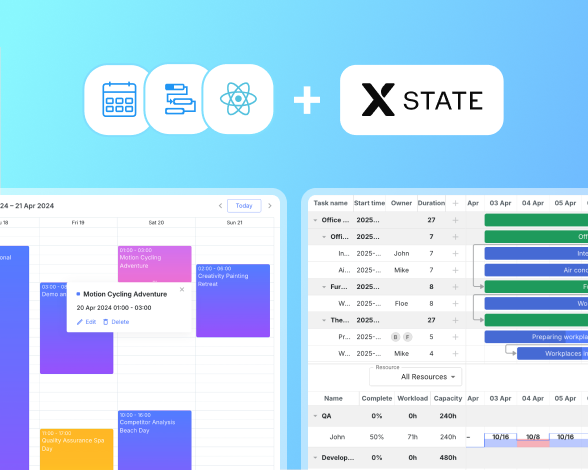
Using XState for State Management in Apps with DHTMLX React Gantt Using XState in React Gantt Apps for Complex State Scenarios
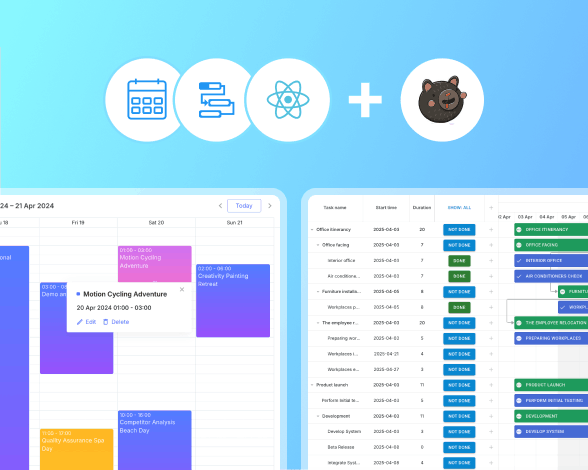
Using Zustand for State Management in Apps with DHTMLX React Gantt and Scheduler Using Zustand for State Management in Apps with DHTMLX React Gantt
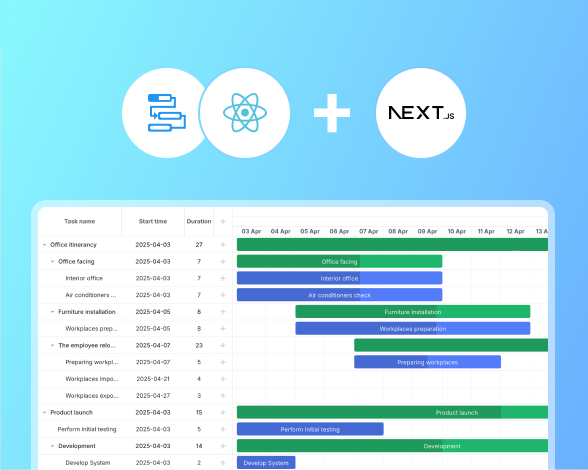
Why Use DHTMLX Gantt for React with Next.js in Project Management Apps Why Use DHTMLX Gantt for React with Next.js in Project Management Apps
What's new
Check out the latest Gantt updates, tutorials, and demo examples to boost your development speed.