Planning Engine demos
Headless gantt engine
Scheduling and replanning
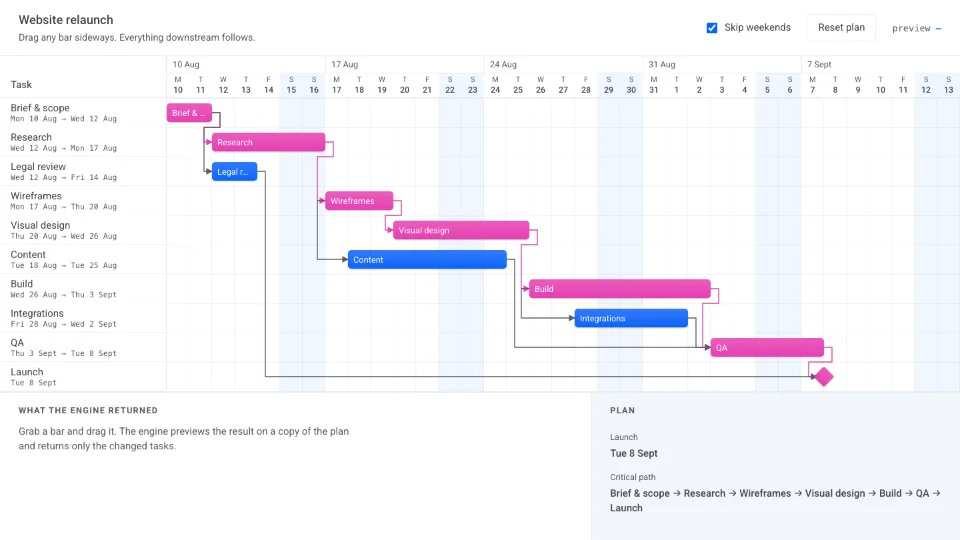
Drag one bar, the plan follows
Successors, weekends and phases update live while the user is still dragging.
Open demo →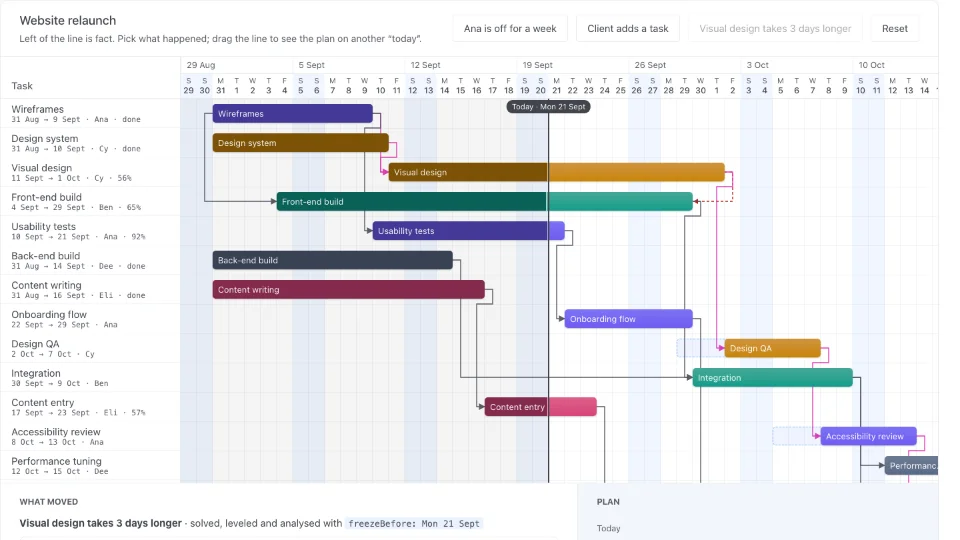
Halfway through: replan without rewriting history
Started work keeps its dates and nothing lands before today. Conflicts say what the fixed past breaks.
Open demo →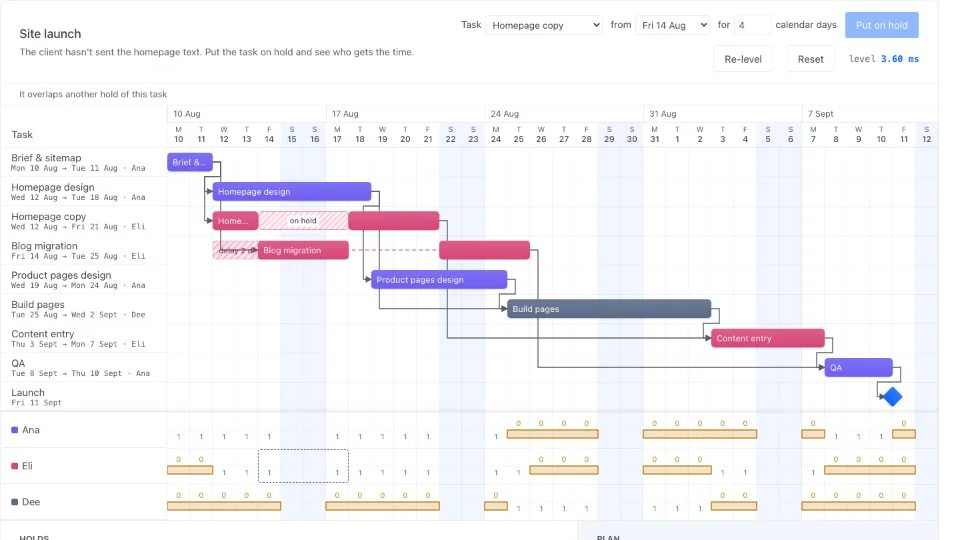
On hold: waiting for the client
Put a task on hold for a few days. Leveling gives the freed time to other work and the hold stays on its dates.
Open demo →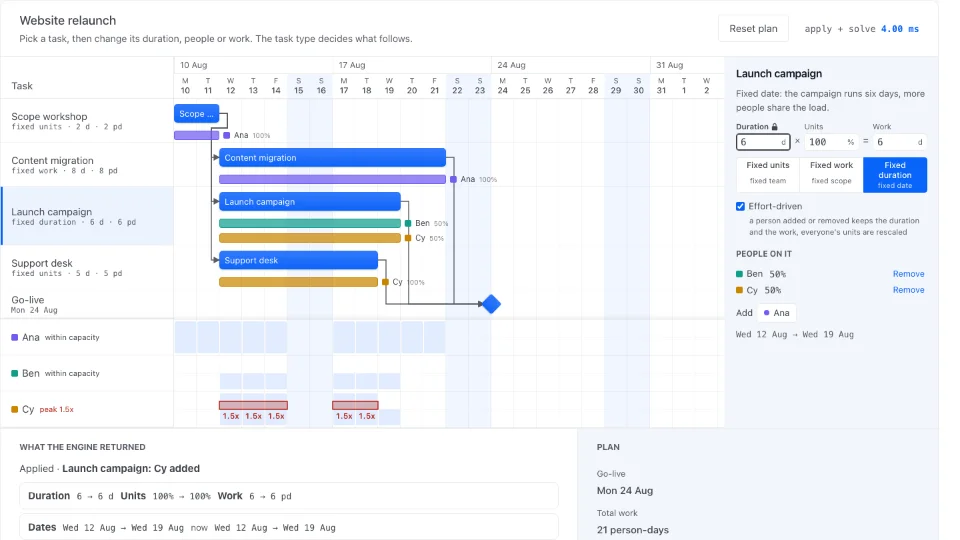
Fixed scope, fixed deadline, or fixed team?
Change a task's duration, people or work. Its type decides what follows: an earlier finish, a lighter load, or more work.
Open demo →Calendars and time scales
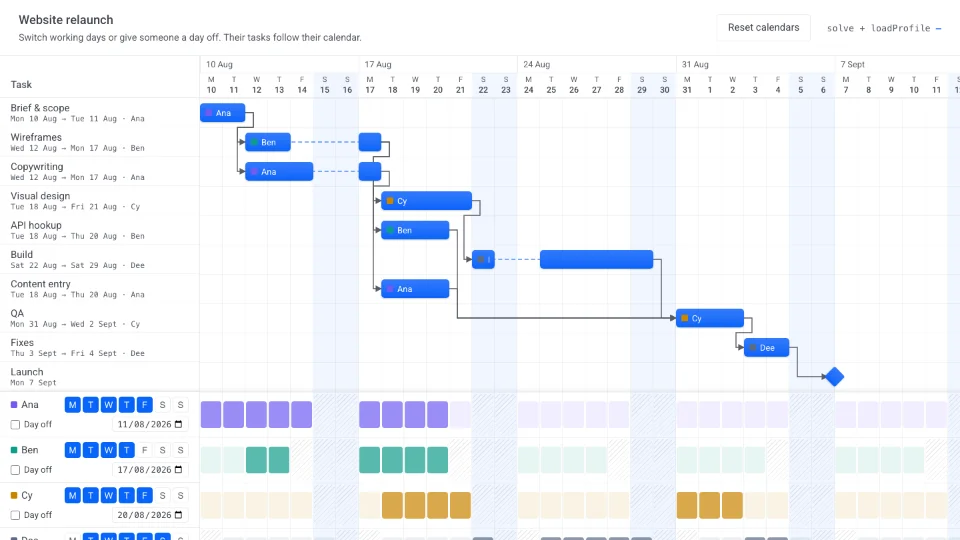
Change who works when, the plan reshapes
A working week and a day off per person. Every change is scheduled again on each person’s calendar.
Open demo →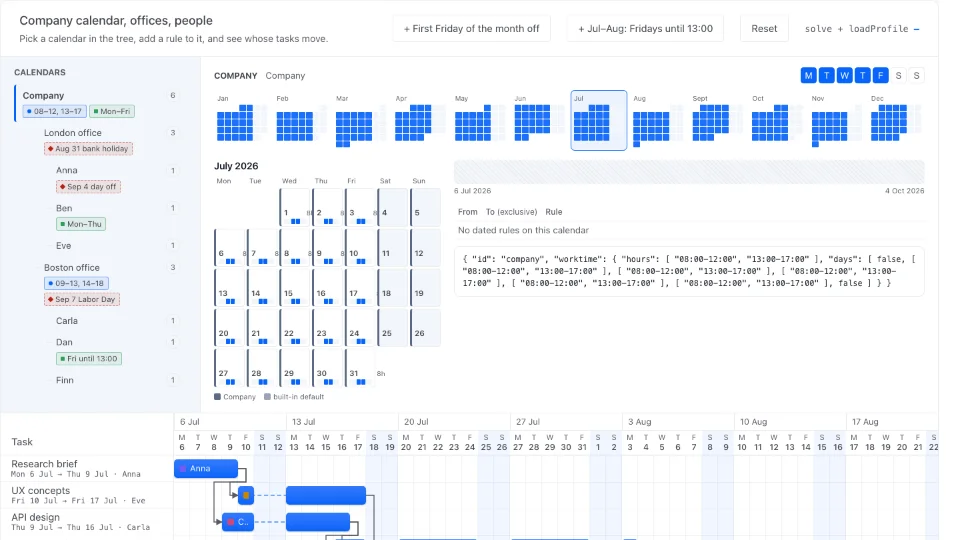
Company calendar, regional holidays, summer hours
Offices inherit the company calendar, people inherit their office. Add a recurring holiday or summer hours at any level and see which tasks move, and why.
Open demo →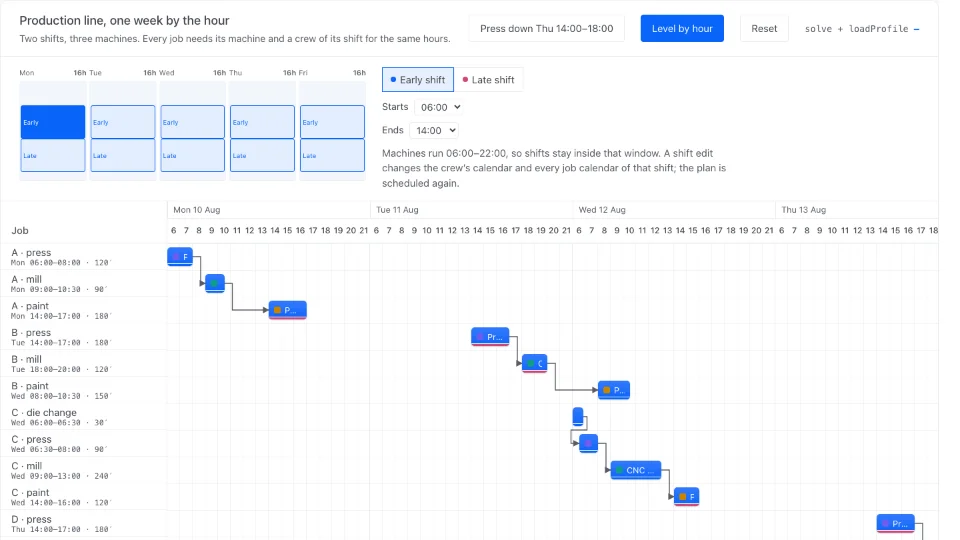
Shift planning by the hour
A production line in minutes: early and late shifts, machines and crews, cooling lags. Take the press down for an afternoon and level by the hour.
Open demo →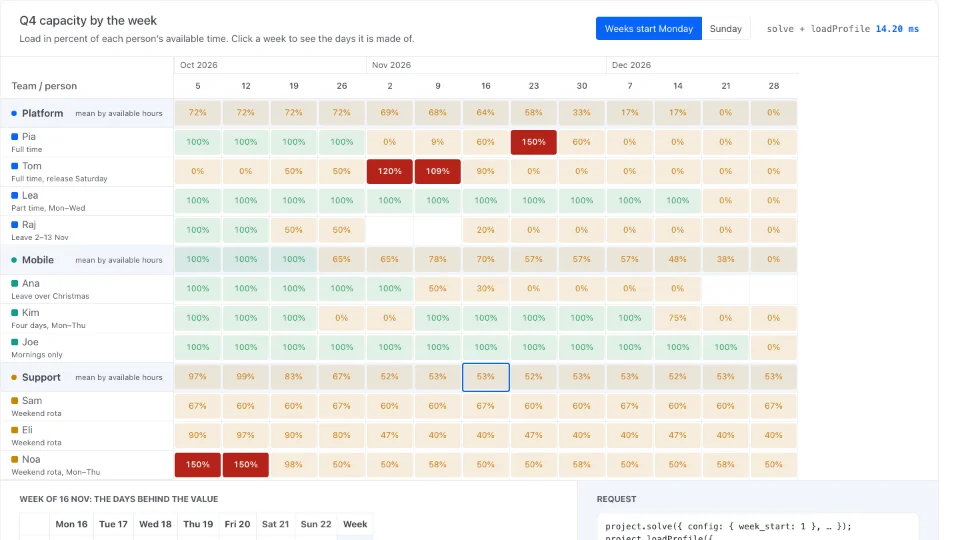
Plan by the week
A quarter at a glance: weekly load per team and person in percent of available time, Monday or Sunday weeks, and the days behind each week.
Open demo →Resource load and leveling
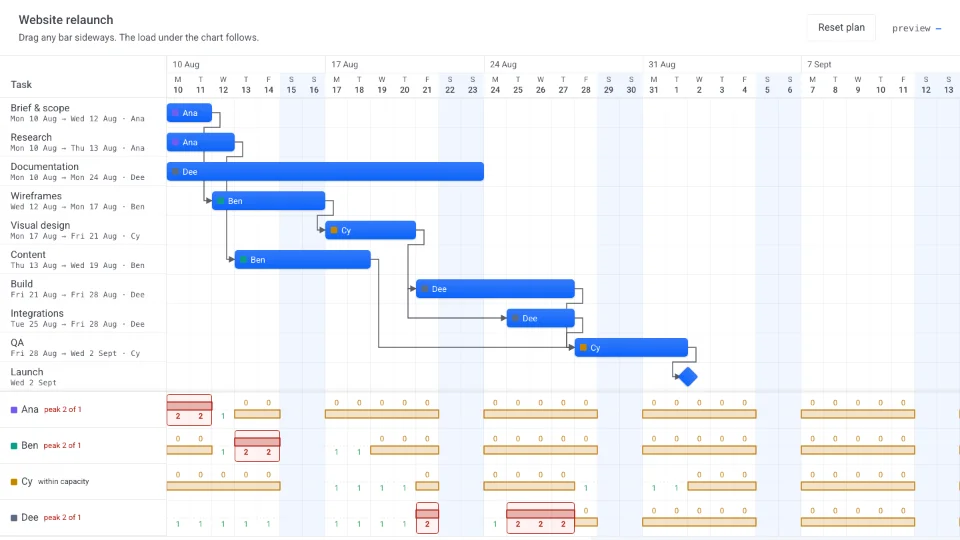
See who is booked, per person and project
A team load grid from one call: part-time calendars, leave, shared capacity and partial assignments, by day or by hour.
Open demo →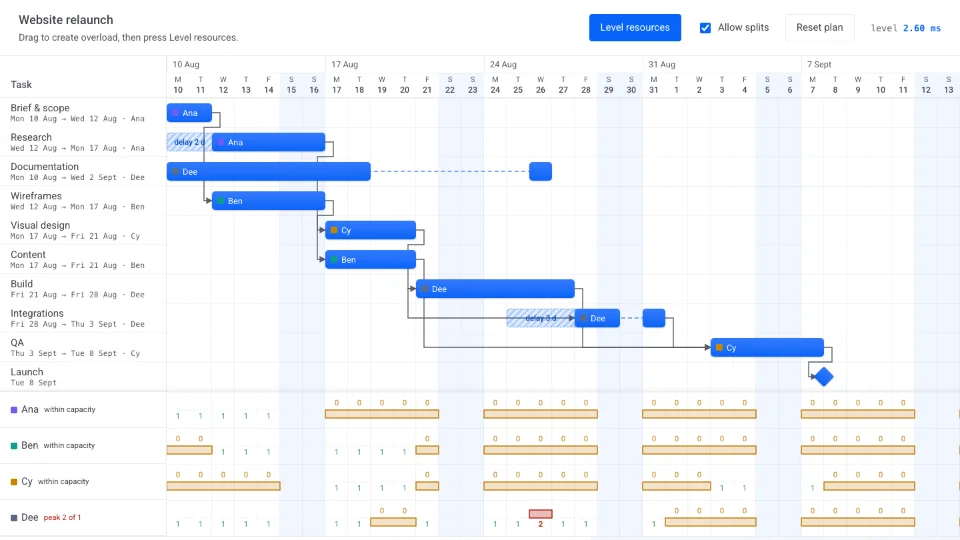
See who is overbooked, fix it in one click
One-click resource leveling that delays or splits tasks, with every change drawn on the chart.
Open demo →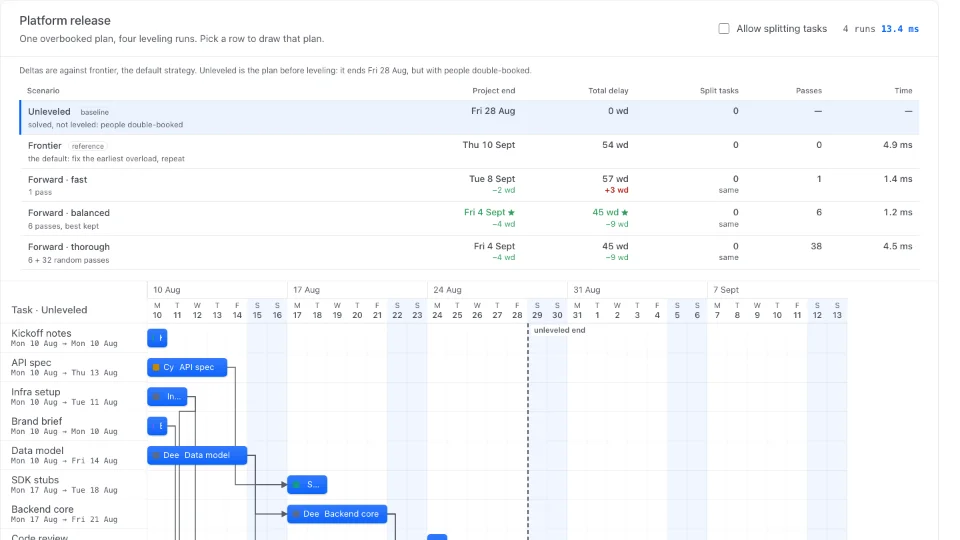
Shorter plan from the same team
The same overbooked plan leveled four ways. The forward strategy searches harder and ends days earlier; the table shows what it costs.
Open demo →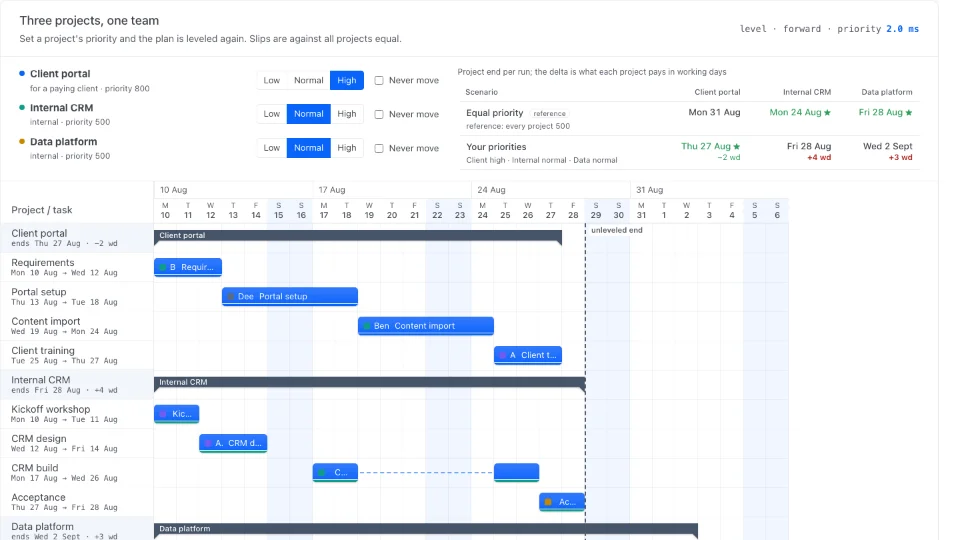
The client project goes first
Three projects share one team. Raise one project's priority or pin it, and see what the others pay in days.
Open demo →Assignment and staffing
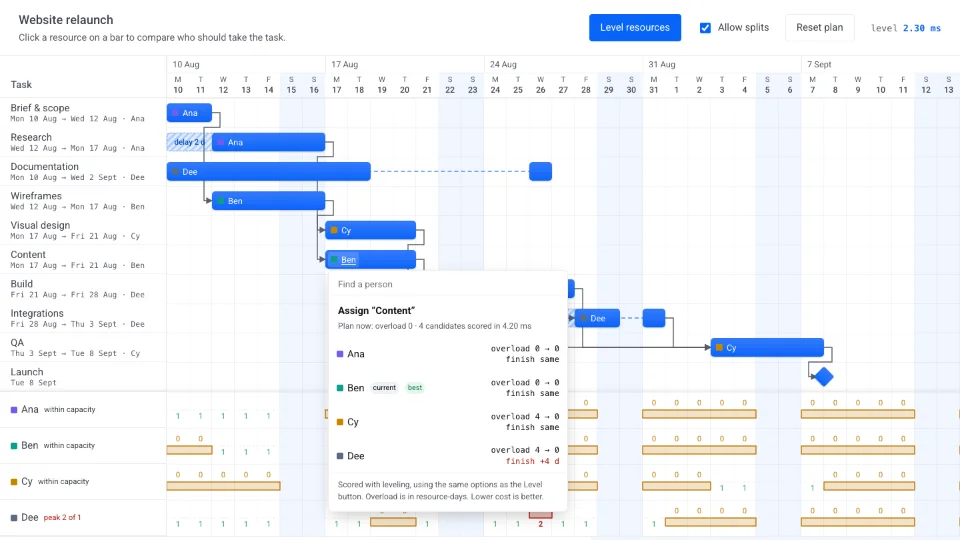
Who should take this task? Ask the engine
Compare every possible assignee by overload and finish date before you choose.
Open demo →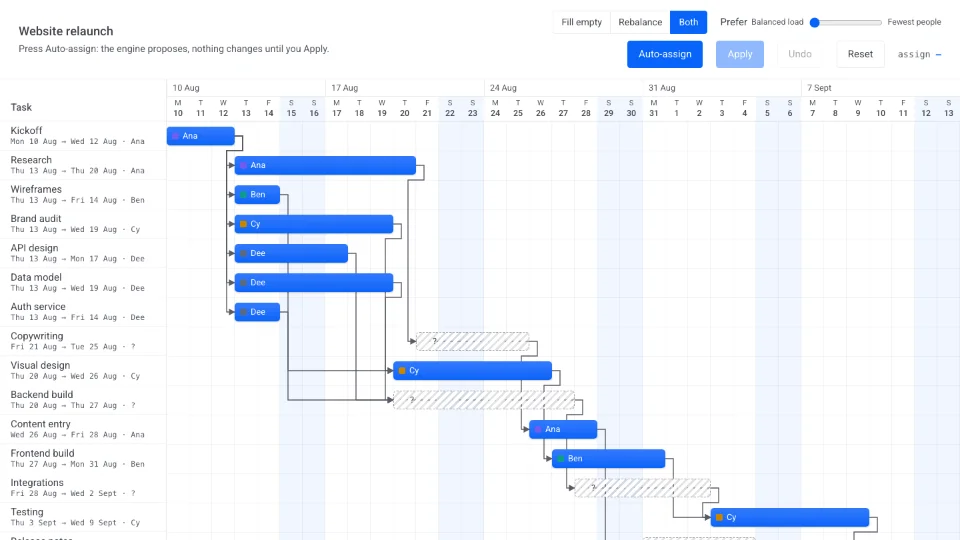
Messy plan, one click: auto-assign
The engine fills tasks nobody has and moves overloaded ones, then shows its proposal step by step before you apply it.
Open demo →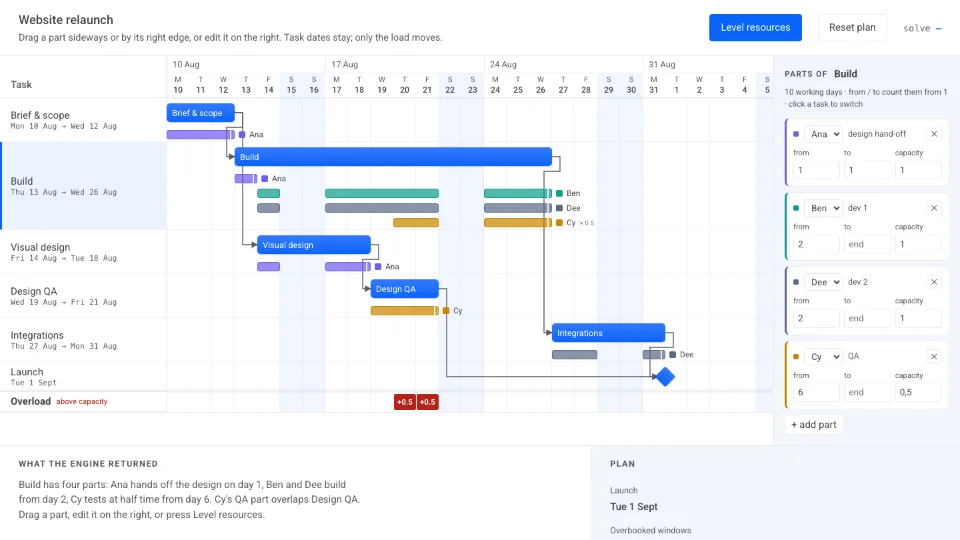
One task, several people, each for a part
Each assignment books a slice of the task. Drag a slice and the load moves while the task keeps its dates.
Open demo →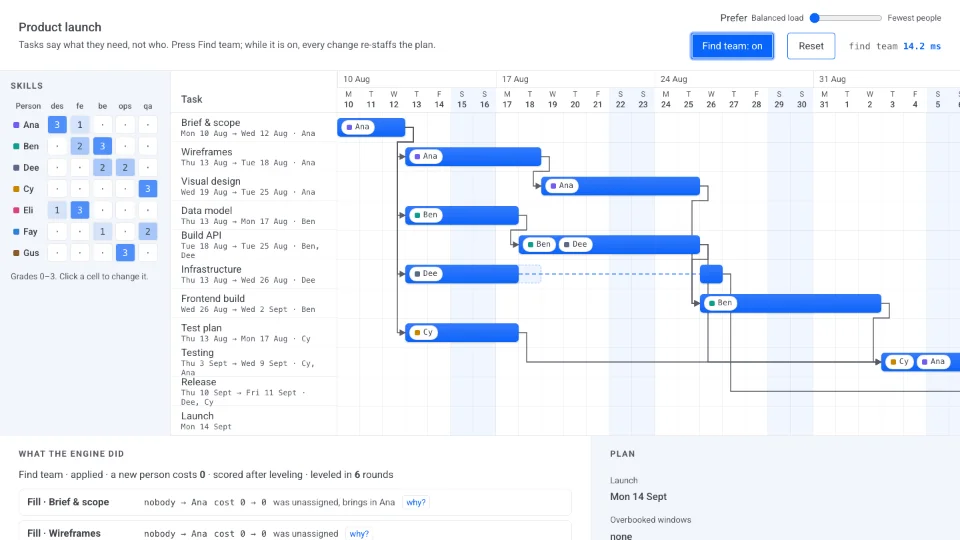
Say what the task needs, not who
Tasks ask for skills, not names. One press staffs the whole plan from a skills matrix and keeps it staffed as skills change.
Open demo →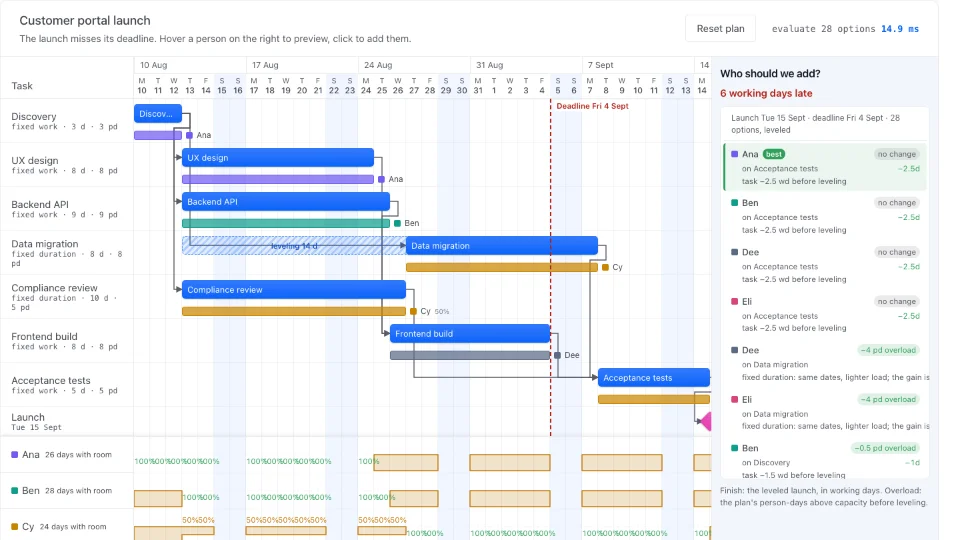
Add a person, finish sooner
The launch is late. The engine tries every free person on every task, levels each plan, and ranks who buys the most days.
Open demo →Usage with DHTMLX Gantt
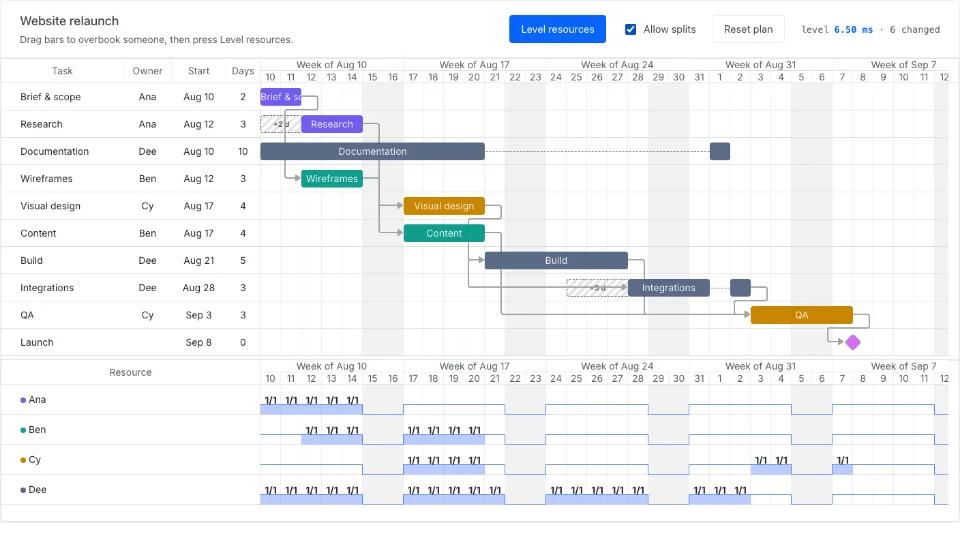
Level resources in dhtmlxGantt
The same leveling inside dhtmlxGantt: the chart schedules through the Planning Engine and a toolbar button levels it.
Open demo →Engine 1.1
Halfway through: replan without rewriting history
Started work keeps its dates and nothing lands before today. Conflicts say what the fixed past breaks.
Open demo →On hold: waiting for the client
Put a task on hold for a few days. Leveling gives the freed time to other work and the hold stays on its dates.
Open demo →Fixed scope, fixed deadline, or fixed team?
Change a task's duration, people or work. Its type decides what follows: an earlier finish, a lighter load, or more work.
Open demo →Add a person, finish sooner
The launch is late. The engine tries every free person on every task, levels each plan, and ranks who buys the most days.
Open demo →Shorter plan from the same team
The same overbooked plan leveled four ways. The forward strategy searches harder and ends days earlier; the table shows what it costs.
Open demo →The client project goes first
Three projects share one team. Raise one project's priority or pin it, and see what the others pay in days.
Open demo →Company calendar, regional holidays, summer hours
Offices inherit the company calendar, people inherit their office. Add a recurring holiday or summer hours at any level and see which tasks move, and why.
Open demo →Shift planning by the hour
A production line in minutes: early and late shifts, machines and crews, cooling lags. Take the press down for an afternoon and level by the hour.
Open demo →Plan by the week
A quarter at a glance: weekly load per team and person in percent of available time, Monday or Sunday weeks, and the days behind each week.
Open demo →Engine 1.0
Drag one bar, the plan follows
Successors, weekends and phases update live while the user is still dragging.
Open demo →See who is booked, per person and project
A team load grid from one call: part-time calendars, leave, shared capacity and partial assignments, by day or by hour.
Open demo →See who is overbooked, fix it in one click
One-click resource leveling that delays or splits tasks, with every change drawn on the chart.
Open demo →Who should take this task? Ask the engine
Compare every possible assignee by overload and finish date before you choose.
Open demo →Change who works when, the plan reshapes
A working week and a day off per person. Every change is scheduled again on each person’s calendar.
Open demo →Messy plan, one click: auto-assign
The engine fills tasks nobody has and moves overloaded ones, then shows its proposal step by step before you apply it.
Open demo →One task, several people, each for a part
Each assignment books a slice of the task. Drag a slice and the load moves while the task keeps its dates.
Open demo →Say what the task needs, not who
Tasks ask for skills, not names. One press staffs the whole plan from a skills matrix and keeps it staffed as skills change.
Open demo →Level resources in dhtmlxGantt
The same leveling inside dhtmlxGantt: the chart schedules through the Planning Engine and a toolbar button levels it.
Open demo →No demos found
Adjust the search or clear it to see all demos.